
How to Increase the Number of Customers from Your Company Website?
In this article, we’ll walk through how to get more customers from the traffic you already have - and what to improve so your website actually drives measurable results. This guide is designed for business owners as well as marketing and sales leaders.
Does Your Website Get Enough Traffic?
Before you optimize anything, make sure you have enough traffic to begin with. If people aren’t visiting your site, it’s unrealistic to expect leads or customers. It sounds simple, but many companies jump straight into tweaking forms and CTAs without first confirming they have sufficient, qualified traffic.
Start by investing in marketing efforts that bring the right visitors to your website. The keyword here is right. You don’t need random clicks - you need people who are genuinely interested in what you offer. Paid ads, GEO/SEO, content marketing, and social media should all target a clearly defined audience.
If you’re unsure how much traffic your site gets, check Google Analytics. It will show you total users, traffic sources, and your conversion rate.
Conversion rates vary widely by industry and business model. In many cases, they fall somewhere between 1% and 10–15%. That means if 3,000 people visit your website each month, you could reasonably expect anywhere from a few dozen to a few hundred leads - depending on traffic quality, your industry and how compelling your offer is.
Once you confirm that traffic isn’t the issue, the next question becomes: how can you convert more of it?
Let’s break that down.
Conversion Architecture (Your Website Structure)
Clear Value Proposition
When someone lands on your website, you have about five seconds to communicate what you do and why it matters. That’s it. Visitors immediately try to figure out whether they’re in the right place and whether you can solve their problem.
A headline like “We Create Modern Business Solutions” may sound polished, but it doesn’t say anything meaningful.
A well-crafted value proposition clearly states who your offer is for and what result it delivers. Instead of talking about yourself, focus on outcomes. A company implementing automation might say, “We help B2B companies reduce operational costs.” A dance school could say, “We’ll teach you tango in two weeks.”
A Strong Above-the-Fold Section
The section users see before they scroll - often called “above the fold” - is critical. It sets the tone for everything that follows.
This section should include:
- A clear, results-driven H1 headline
- A short subheadline explaining how your solution works
- A highly visible CTA button in a contrasting color
If this section is confusing or cluttered, users may leave before they even explore the rest of your site.
UX and Page Speed
Design and user experience matter more than many companies realize. If your website looks outdated, contains typos, or feels cluttered, users may subconsciously question your professionalism. This applies to both B2B and B2C companies.
Make sure your design feels modern and clean. Keep the copy clear and error-free. Even small details impact credibility.
Page speed is just as important. If your website loads slowly, users may leave before taking any action. Use Google PageSpeed Insights to test your performance and identify areas for improvement.
And don’t forget mobile. Your website must load quickly and function smoothly on mobile devices. Responsive design isn’t optional anymore - it’s expected.
Keep Your Forms Simple
One of the most common conversion killers is an overly complicated form.
Many companies try to collect everything upfront - name, title, company size, budget, phone number, website URL. From a marketing perspective, that sounds useful. From a user’s perspective, it feels like friction.
The more fields you add, the higher the chance someone abandons the form. For a first interaction, keep it simple. If your goal is to book a call, a name and email - or even just a phone number.
You can gather additional information later through your CRM, during a sales call, or with AI-based qualification tools.
Your CTA should also clearly explain what happens next. Will the user receive a quote? Schedule a demo? Start a free trial? Phrases like “Schedule a Marketing Consultation” or “Request a Quote” are often more effective than a generic “Contact Us.”
Instant Meeting Scheduling
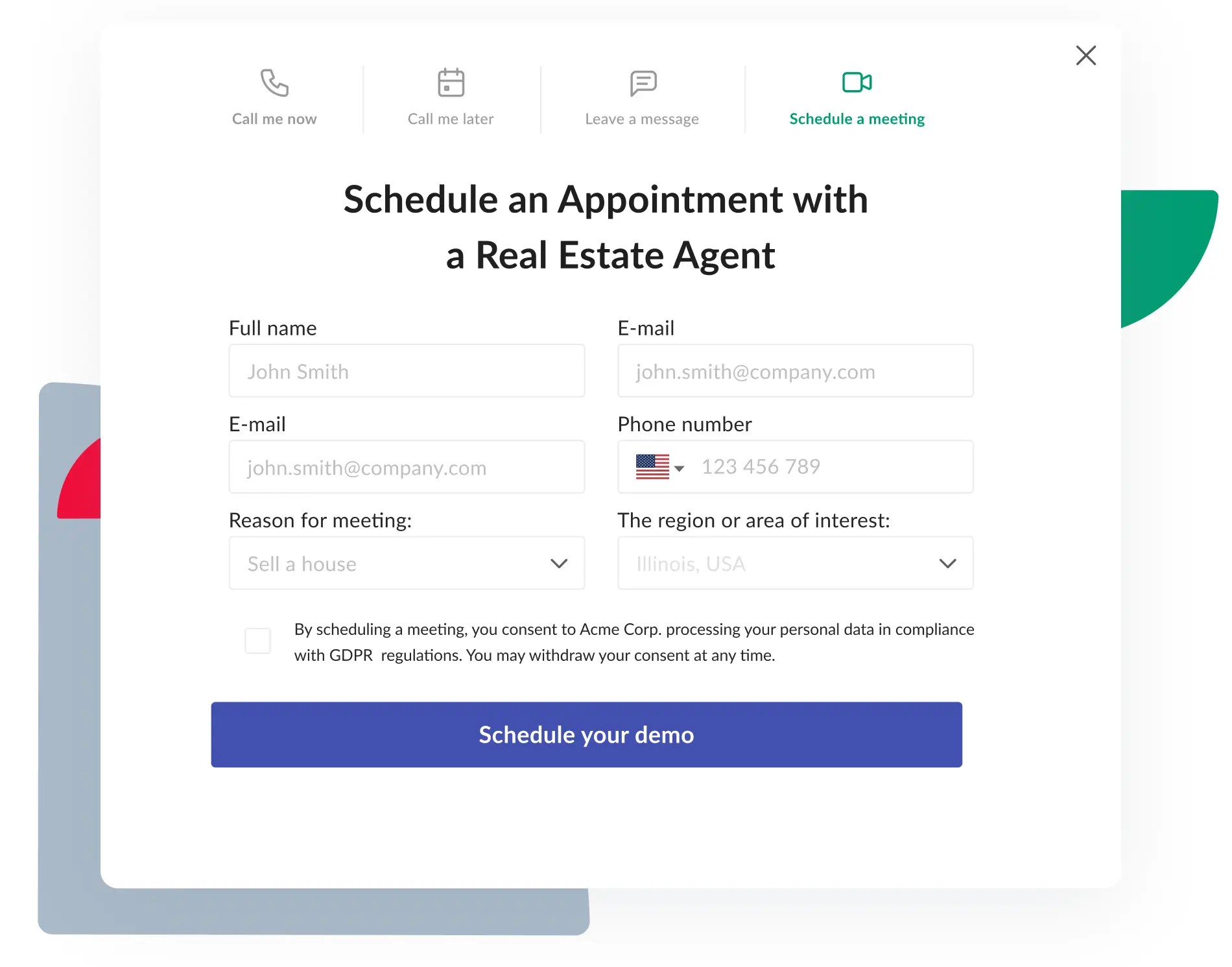
Instead of asking users to fill out a form and then following up days later to schedule a meeting, allow them to book instantly on your website. Tools like CallPage Meetings, HubSpot, or Calendly let you create a simple form that immediately displays your team’s availability or available service slots.
Visitors can choose a convenient time right away, reducing friction, eliminating back-and-forth emails, and significantly increasing the likelihood of securing a meeting.
Psychology and CRO
Fast Response and Exit Popups
Today’s users expect quick responses. If they have to wait days for someone to reach out, they may move on to a competitor.
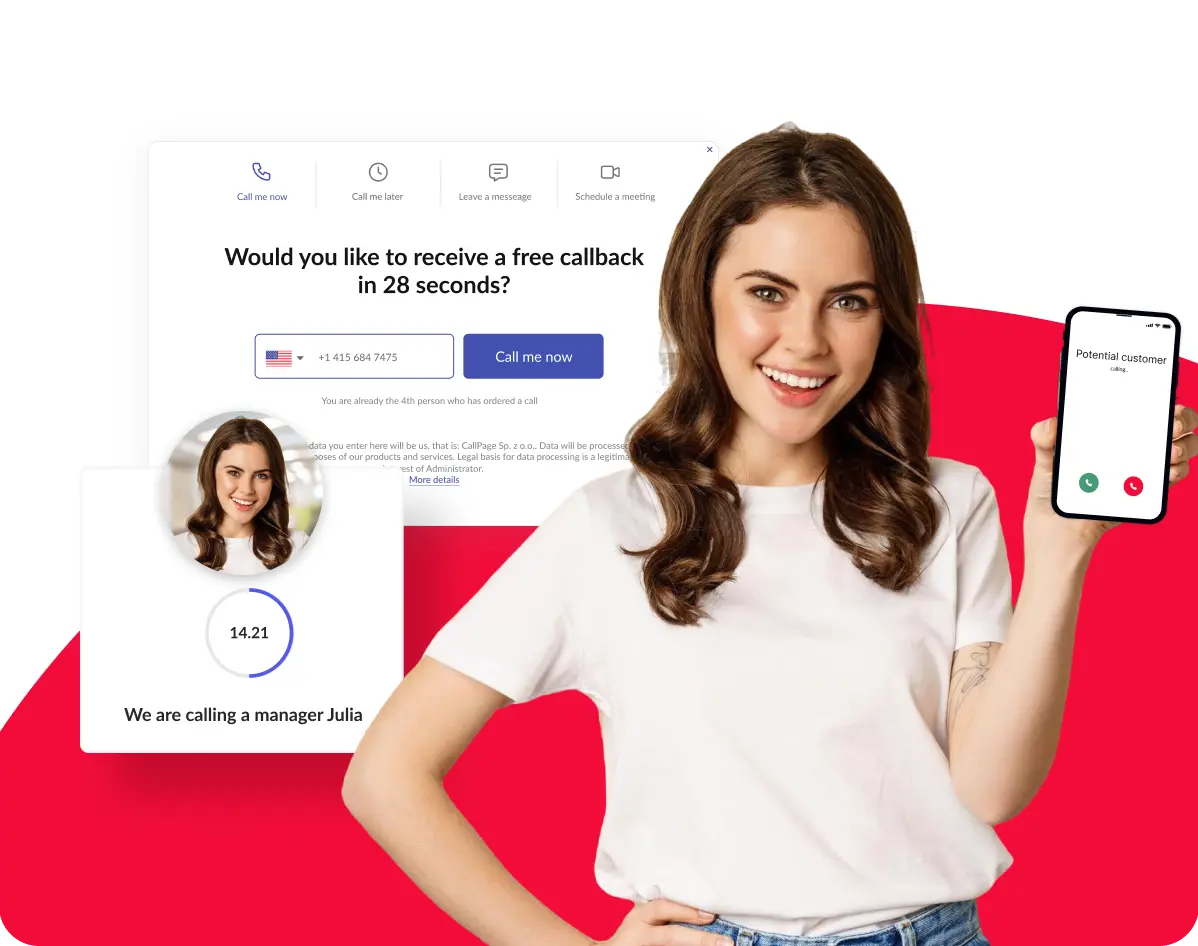
Live chat and callback software help you respond in real time. They allow you to capture basic information and connect visitors directly with the right person. Read more about conversational marketing to understand the trend.
Exit-intent popups can also be effective. These appear when someone is about to leave your site. Used strategically, they can offer a special promotion, downloadable resource, or an instant callback.
Testing tools like CallPage can help you determine whether real-time communication increases your lead volume.
CRO Experiments
Conversion Rate Optimization (CRO) is simply the practice of testing different website elements to see what improves performance.
Start small. Test headlines, CTA wording, or hero images. Sometimes a minor messaging adjustment can significantly impact results.
As you become more comfortable with testing, consider experimenting with interactive tools such as calculators, quizzes, or surveys. These can increase engagement and help qualify leads at the same time.
The key is to test strategically. Don’t change too many things at once. If you do, it becomes impossible to know which change made the difference.
Dedicated Landing Pages Instead of Your Homepage
Sending paid traffic to your general homepage is often a mistake. When someone clicks an ad, they expect a specific answer to a specific promise.
Dedicated landing pages focused on a single audience and a single goal typically convert better. A/B testing is one of the most reliable ways to improve conversion rates because it’s based on actual user behavior - not guesswork.
Using Psychology to Increase Conversions
Psychology plays a powerful role in decision-making. Scarcity, for example, can encourage action - limited-time offers or limited spots create urgency. Just be careful not to overuse it. If everything is “last chance,” people stop believing it.
Other principles you can test include:
- Anchoring: Present your highest-priced package first so the middle option feels more reasonable.
- Social proof: Go beyond logos. Use numbers like “5,400 business owners have already joined.”
- Urgency: Add countdown timers for limited offers.
- Micro-conversions: Break long forms into multi-step forms. People are more likely to finish something once they’ve started.
Tools and Technology
If you want to approach lead generation in a structured and measurable way, it’s worth relying on proven tools. The solutions below support different stages of the process - from understanding user behavior, through capturing leads, to managing and nurturing them effectively.
Hotjar
Hotjar helps you understand how users actually interact with your website. Heatmaps show where visitors click, how far they scroll, and which elements attract the most attention. Session recordings allow you to watch real user journeys and identify where people hesitate, get confused, or drop off. Instead of guessing what might be wrong, you can base your optimization decisions on real behavioral data.
OptinMonster
OptinMonster is an advanced tool for creating popups, opt-in forms, and exit-intent campaigns. It allows you to display targeted messages based on user behavior — for example, time spent on page, scroll depth, traffic source, or exit intent. This level of personalization can significantly increase sign-ups and lead capture rates without increasing traffic. It’s especially useful when you want to recover visitors who are about to leave your site.
Typeform
Typeform enables you to create interactive forms, surveys, and quizzes that feel conversational rather than overwhelming. Instead of showing users a long list of fields at once, questions appear one by one, making the experience more engaging and easier to complete. This approach often leads to higher completion rates. Typeform works particularly well as a lead magnet tool or for pre-qualifying prospects before passing them to sales.
CallPage
A solution that enables you to generate phone calls directly from your website. The user leaves their phone number, and the system connects them with your team in as little as a few seconds. It’s an effective way to increase the number of conversations by enabling instant communication and shortening the gap between interest and direct contact. You can also expand it with Meetings for instant appointment scheduling or enhance it with an AI Agent.
Intercom
Intercom combines live chat, chatbots, and automation in one platform. It allows you to communicate with visitors in real time, answer questions instantly, and guide users toward the right action. You can also use automated chat flows to qualify leads by asking key questions before involving your sales team. This helps prioritize high-intent prospects and improve overall efficiency.
Microsoft Clarity
Microsoft Clarity is a free behavioral analytics tool that provides session recordings and click maps. It helps you identify usability issues and understand which elements on your site draw attention — and which ones are ignored. Clarity is particularly useful as a complement to traditional analytics tools because it shows not just what is happening, but how users experience your website.
Leadfeeder
Leadfeeder identifies companies that visit your website, even if they don’t fill out a form. It works by analyzing IP addresses and matching them with publicly available company data. The tool integrates with CRM systems, allowing sales teams to proactively reach out to businesses that have already shown interest. In B2B environments, this can uncover hidden opportunities that would otherwise go unnoticed.
HubSpot CRM
HubSpot CRM is a customer relationship management system that helps you organize contacts, track interactions, and automate marketing activities. It allows you to implement lead scoring, segment your audience, and monitor the entire sales pipeline in one place. Whether you’re a small business or a growing team, HubSpot provides structure and visibility, ensuring that no valuable lead gets lost.
Final Thoughts
Increasing the number of customers from your website isn’t about finding one magic tactic. It’s about clarity, structure, responsiveness, testing, and continuous improvement.
In many cases, the biggest gains come from small refinements - simplifying a form, sharpening a headline, improving a CTA, adding strong social proof, or implementing instant callbacks.
Those details often determine whether a visitor becomes a customer - or simply clicks away.
Check out other posts
Start generating leads today!
Start a 14-day free trial now,
set up the widget on your site, and see how many more leads you can capture with CallPage
- No credit card required
- 10 minutes set up
- 14 days fully-features free trial