Online scheduling for teams
Let clients book meetings with your team in seconds — through a booking page or a pop-up on your website. CallPage automatically matches them with the right team member. No back-and-forth emails, no double bookings.
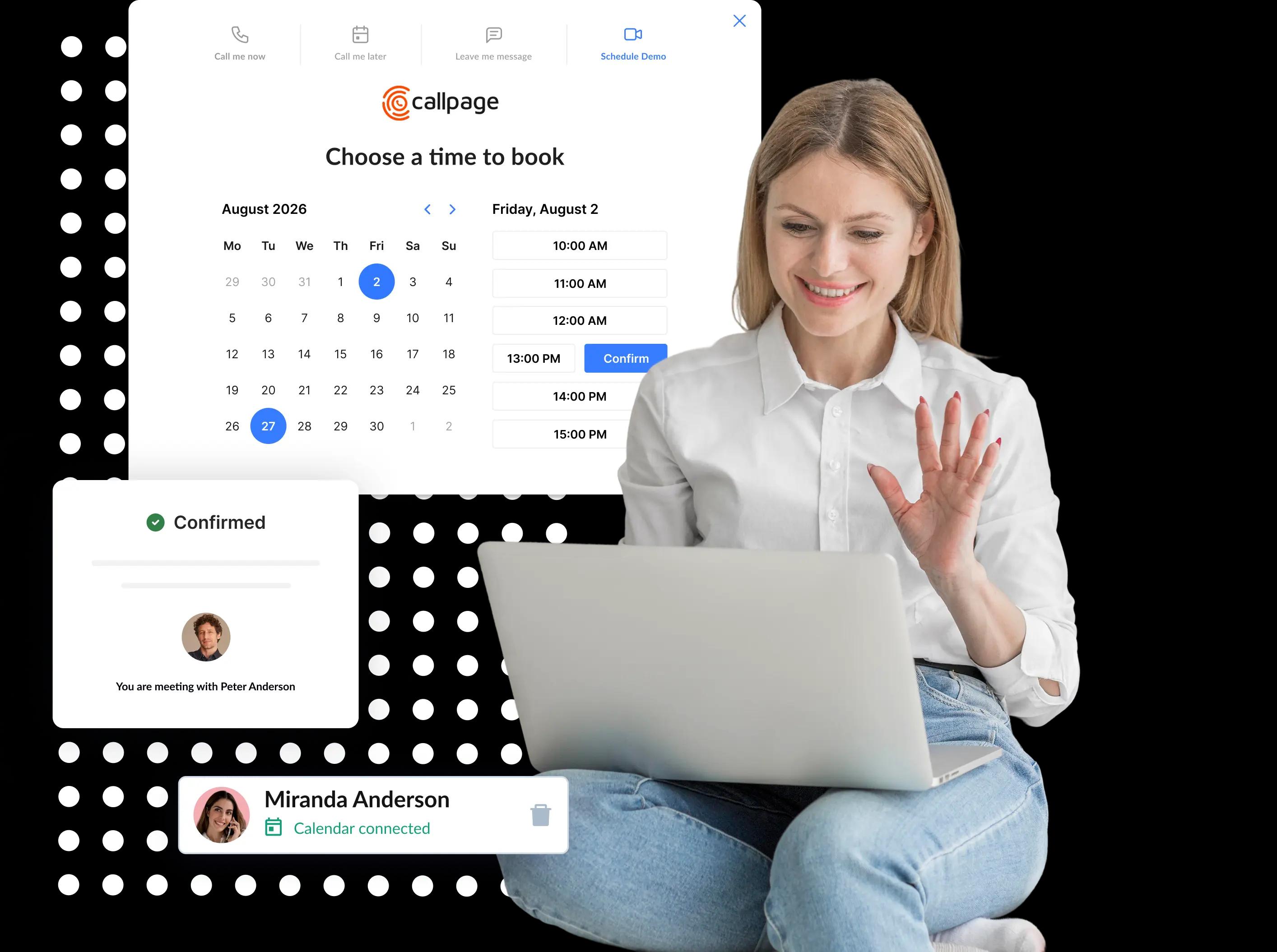
Join more than 1500 companies that generate sales with CallPage








Schedule Meetings With Clients Automatically
Let clients book a meeting with your team at a time that suits them — with no back-and-forth. CallPage Meetings guides them step by step through the booking process, via a booking page link or a pop-up on your website.
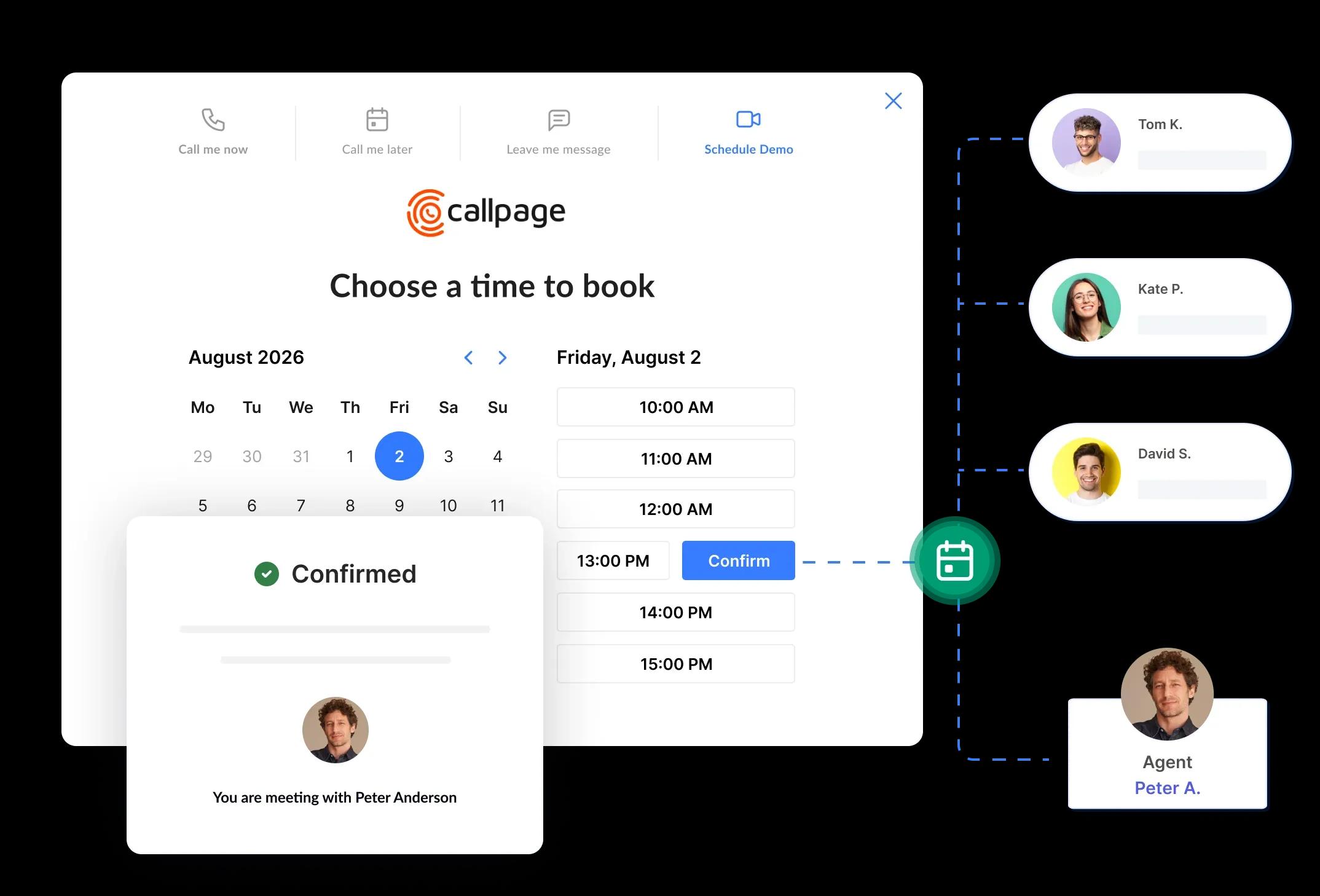
One Link. The Whole Team.
Stop juggling separate booking links for every rep, region, and use case.
Create individual booking links for each team member, or set up one Meetings link and connect several people to it. CallPage automatically picks the right person from your team — based on availability or the answers given in the form — and shows the client that person's available time slots. You can set up your routing rules in the CallPage panel.

Page or Pop up
CallPage Meetings gives you two ways to get meetings booked:
Booking page
Create your own booking page and share it with a single link—in your email, on LinkedIn, in an ad campaign, or in a text message. Clients can book a time in seconds.
Pop-up on your website
Invite visitors to book a meeting before they leave your site. The widget guides them through the entire booking process, step by step. Get more meetings from your website.
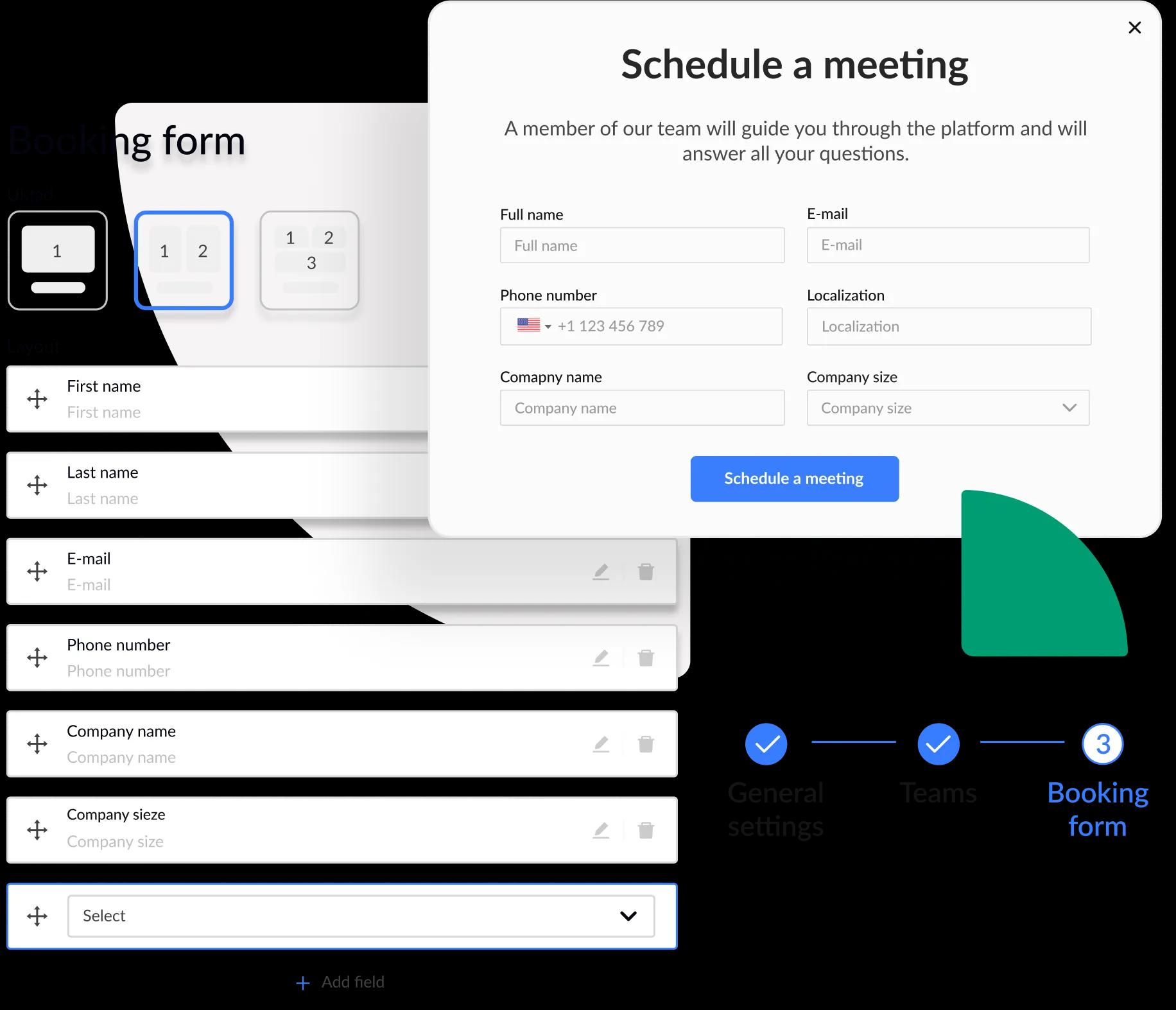
Easily Edit the Booking Form
Adjust description, questions or meeting duration.
Customize the booking form and tailor the fields to your needs, so you gather exactly the information you need before the meeting. Whether you're scheduling sales calls, consultations, or in-person visits — you can set up the form in minutes.
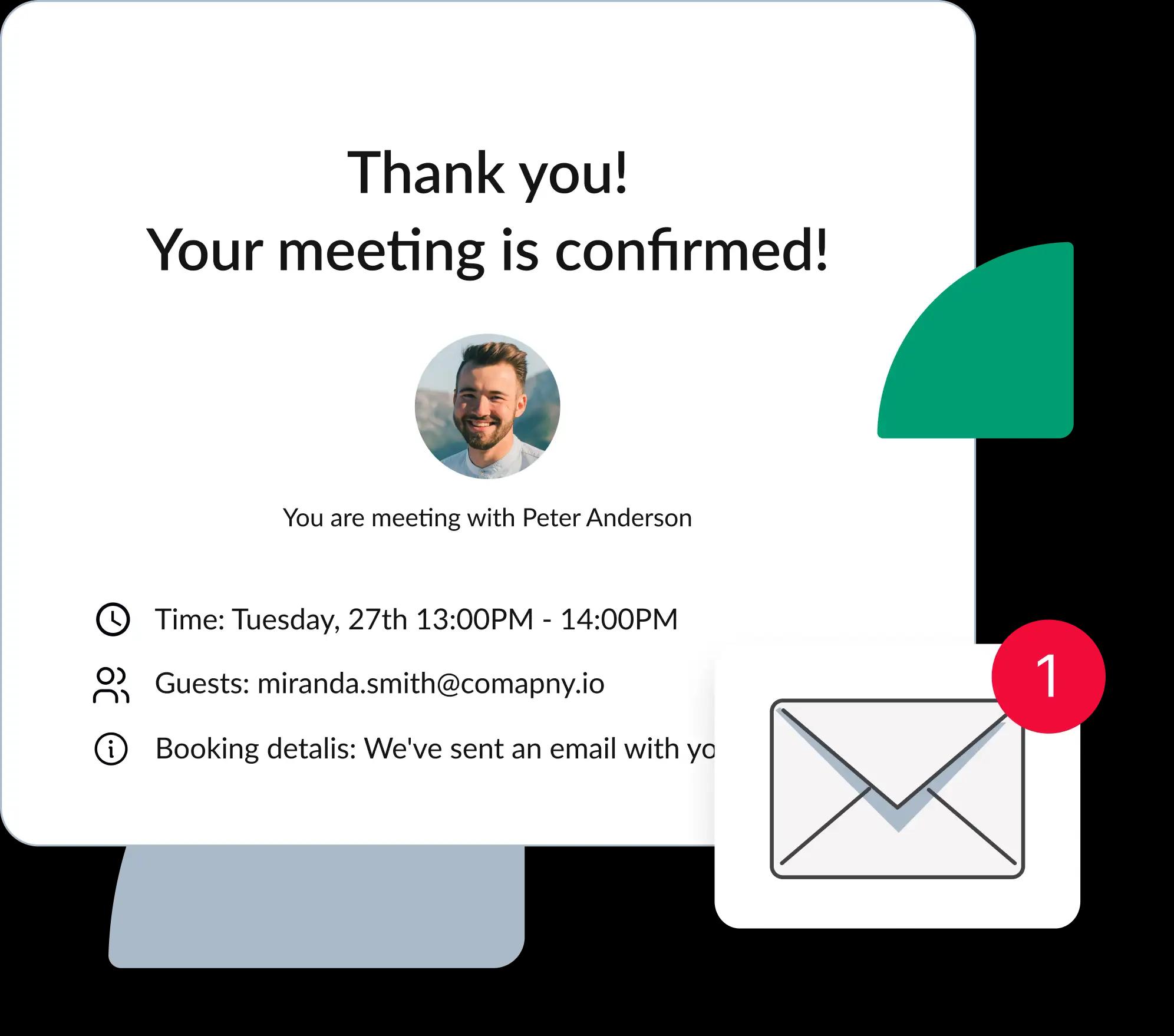
Full Calendar Sync
No more scheduling conflicts or overlapping meetings.
CallPage Meetings checks your team's availability in connected calendars in real time and shows clients only the open time slots. Every booked meeting lands in the team member's calendar automatically, and both sides receive an email confirmation with the meeting details.
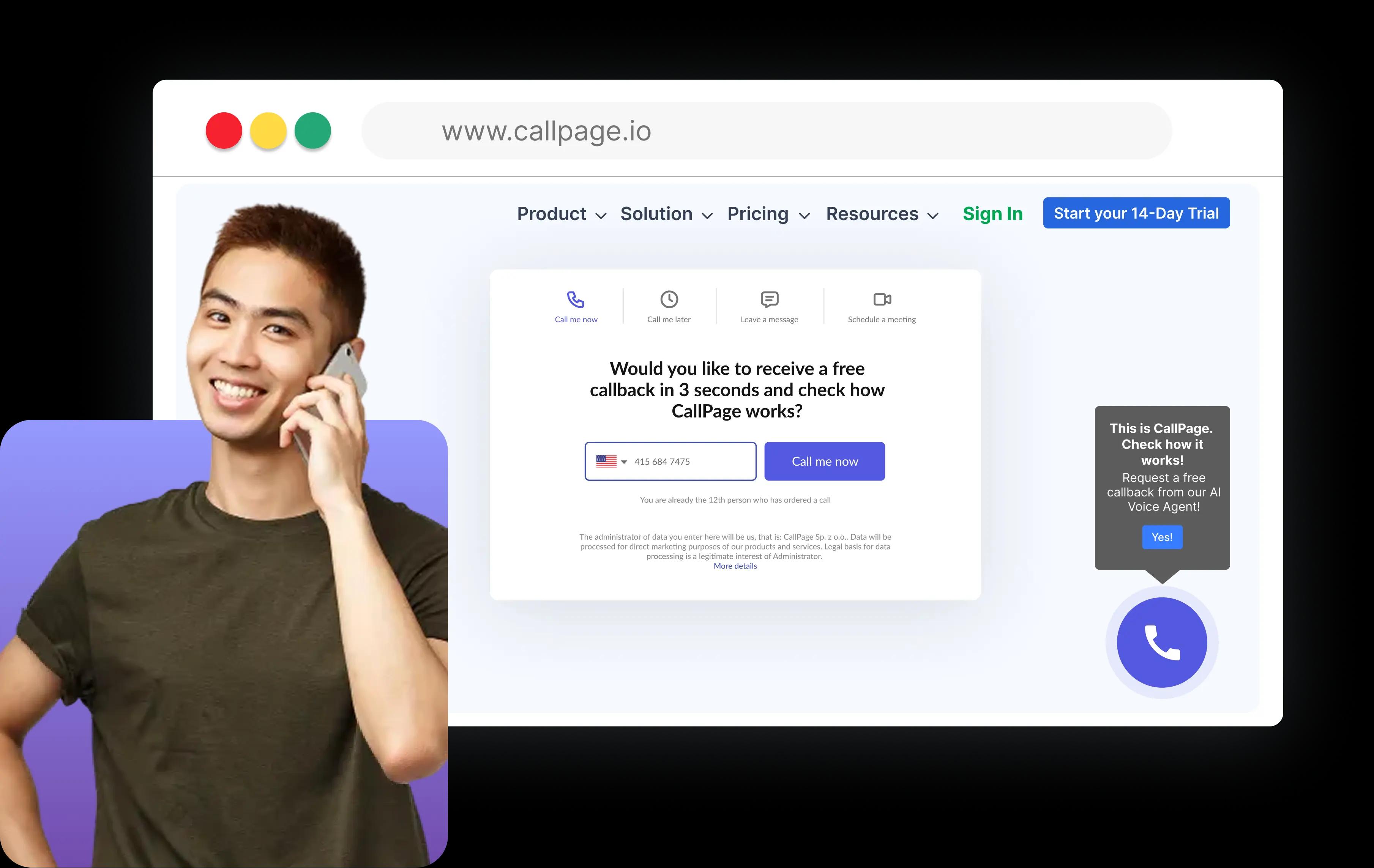
Meetings + Callbacks
Some clients want to book a meeting for next week. Others want to talk right now. CallPage handles both.
Unlike standalone scheduling tools, CallPage Meetings is part of the CallPage platform. That means one subscription covers scheduled meetings AND callbacks — your hottest leads can request an instant call from your website in 28 seconds, while others book a meeting at a time that suits them. One widget, one panel, one lead pipeline.
Connect Meetings With Your Existing Meeting Tools and Calendars
No need to integrate and onboard staff with new software. You can connect CallPage with the most popular calendar apps (Google Calendar and Outlook) and group meetings tools (Google Meet, Microsoft Teams, Webex and Zoom).






Most Popular Features
Discover Our Most Popular and Highly Rated Features.

Create pop-ups that encourage connection
Create a lead capture pop-up that seamlessly matches your brand and increases the number of leads in your sales funnel. Encourage your website visitors to book meetings!

Edit and create fields
Ask users custom questions through the meeting scheduling tool. Use the answers to distribute these meeting requests and assign the right representatives. You can also use the information to help your team members prepare for the meeting better.

Sync offline or online events
Connect Meetings to the relevant calendars of people on your team. Add online meetings, and invite users to an in-person appointment using the same integrations.

Route the lead to a teammate
Based on the answers people give in the meeting scheduler pop-up, CallPage directs them to the most appropriate member of your team. Easily edit the rules and add team members as your team grows.

Choose how to remind and notify leads
Send meeting and call reminders to leads and team members via SMS or email, reminding them of their upcoming appointment.
FAQ
CallPage Meetings FAQs
What is CallPage Meetings?
CallPage Meetings is an online meeting scheduling tool that lets clients book meetings with your team on their own. It offers a shareable booking page (distributed via a direct link), a pop-up scheduler for your website, smart routing that automatically shows each client the right team member's calendar, real-time calendar sync with Google Calendar and Outlook, and automatic email confirmations. CallPage Meetings is part of the CallPage lead generation platform — used by more than 1,500 companies — which also includes callback software for instant calls from your website.
How is CallPage Meetings different from Calendly?
CallPage Meetings differs from Calendly in two main ways. First, it's part of the full CallPage platform, so one subscription covers both meeting scheduling and callbacks — clients can book a meeting for later or request an instant call from your website, all in one tool. Second, CallPage Meetings offers smart routing: you can share one booking link for your whole team, and Meetings automatically shows the client the calendar of the right team member — based on availability or the answers given in the booking form.
How does meeting routing work in CallPage Meetings?
You can create individual booking links for each team member, or one shared link with several people connected to it. When a client books through the shared link, CallPage Meetings automatically picks the right person from your team — based on availability or the answers given in the booking form — and shows the client that person's real-time availability. Routing rules are easy to set up in the CallPage panel, and they work the same whether the client books through your booking page or the pop-up on your website.
Which calendars and video conferencing tools does CallPage Meetings integrate with?
CallPage Meetings syncs with Google Calendar and Outlook, and integrates with the most popular video conferencing tools: Google Meet, Microsoft Teams, Zoom, and Webex. Once an online meeting is booked, the video call link is generated automatically and sent to the client in the confirmation email — no manual event creation needed.
Can I use CallPage Meetings for offline appointments?
Yes! You can use CallPage Meetings to schedule in-person appointments at your office or practice. Simply add your location in the Meetings settings and leave video conferencing disabled. When a customer books a meeting, they'll receive your address and location details instead of a video meeting link.
Can I try CallPage Meetings for free?
Yes. CallPage offers a fully featured 14-day free trial with no credit card required — setup takes about 10 minutes and doesn't require a developer. During the trial you get access to the meeting scheduling features, including the booking page, the website pop-up, routing, and calendar and video conferencing integrations.
Get a 14-day free trial
Meetings and callbacks in one platform.
Try CallPage for free and let clients book meetings with the right person on your team.
- No credit card required
- 10 minutes set up
- 14 days fully-featured free trial