
An Introduction to Callback Widget
Businesses must find new ways to engage with their website visitors and convert them into valuable leads and customers. One of the methods to achieve this is by implementing a callback widget. Let’s take a look at how.
Contents:
- What is a Callback Widget?
- Why Your Website Needs a Callback button
- How the Widget Works
- Benefits of Using a Widget
- Industries that Benefit from Callback Widgets
- How to Implement a Callback Widget
- Best Practices for Callback Widgets
- Case Studies: Success Stories with Callback Widgets
- Pricing and Plans for Callback Widgets
- Conclusion: Unlock Your Website's Potential with a Callback Widget
A callback widget provides a user-friendly interface for visitors to request a call from a representative of your company. With just a few clicks, potential customers can connect with your sales team.
What is a Callback Widget
Definition and Functionality
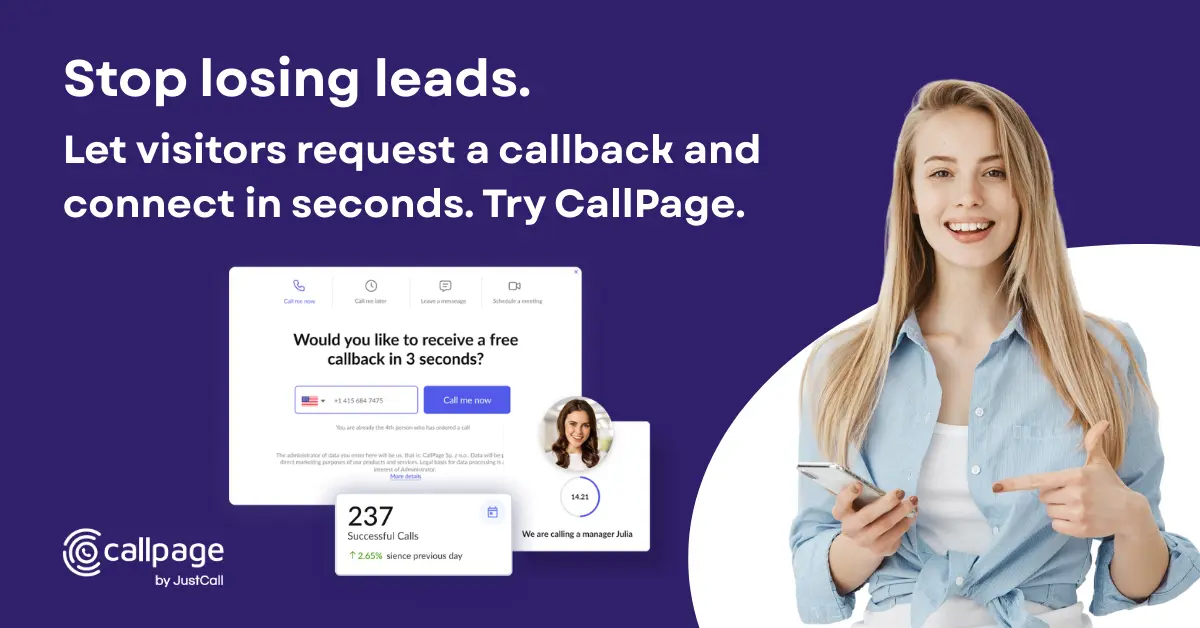
A callback widget, also known as a call now button, is a tool that allows website visitors to order a call back from one of your representatives. It is a user-friendly and convenient way for potential customers to contact your company directly from your website. The widget can be placed on your homepage, landing pages, or support pages to ensure maximum visibility and accessibility for your visitors.
Its primary functionality is to bridge the gap between your team and your potential customers. It eliminates the need for visitors to search for contact information or navigate complicated menus to reach your sales or support teams. By simply entering their phone number, visitors can request a callback and expect a prompt response from your team.
Does Your Website Need a Callback Widget
Increasing Conversion Rates
A well-designed and strategically placed widget can significantly increase your website's conversion rates. By providing visitors with a direct line of communication, you eliminate any barriers that may prevent them from taking action. The callback button is a powerful Call to Action as it's simple and easy to understand for your users.
Enhancing Customer Experience
A callback widget allows you to offer personalized assistance and address customer queries in real time. By offering visitors the option to connect with your team instantly, you create a positive experience and build trust with potential customers.
Generating More Leads
A callback widget serves as a powerful lead capture software. When visitors request a callback, they provide their contact information, allowing you to capture valuable sales leads.
Gaining a Competitive Edge
Implementing a callback widget can give you a competitive edge by providing a convenient and accessible communication channel for potential customers. Many websites still rely on traditional contact forms, chat tools or email inquiries, which can be time-consuming and less effective. By offering a callback option, you demonstrate your commitment to excellent customer service and stand out from the crowd.
How the Widget Works
Widget Appearance
The widget can be strategically placed on your web pages, ensuring it is visible as users scroll through the content. It can also be customized to match your website's design and branding, creating a seamless and cohesive user experience.
Pop-up and Scoring Rules
A good widget also includes scoring rules that determine when the widget displays a pop-up window. A typical rule is exit intent - when the system determines that the user intends to leave the web page, it will display a pop-up offering immediate connection with a consultant.
Collecting Contact Information
Once the widget appears, visitors can enter their phone number to request a callback. Additionally, you can customize the widget to collect additional details from visitors, such as their names, email addresses, or specific inquiries. This additional information helps you gain more qualified leads.
Connecting Customers with Your Team
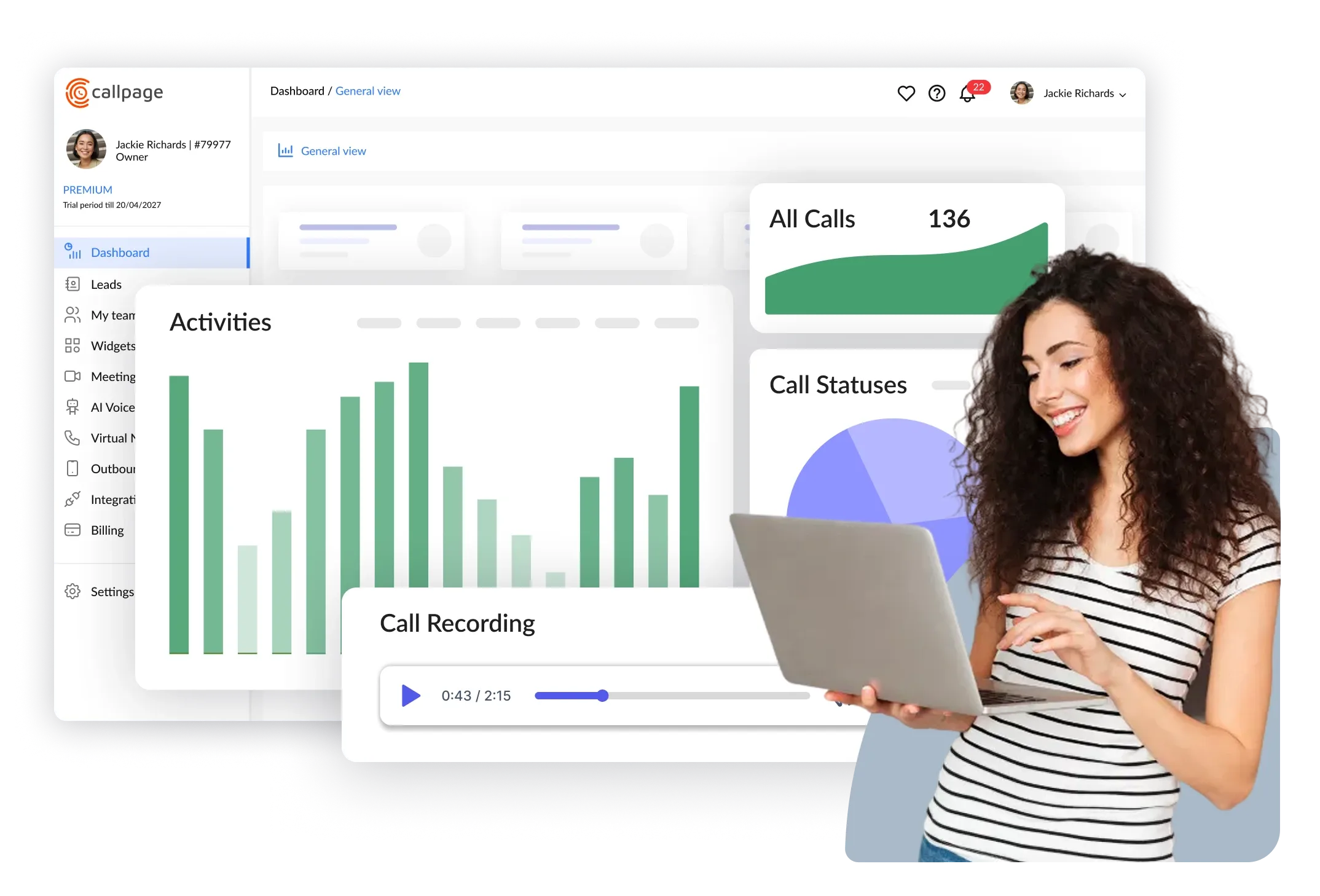
After the visitor submits their contact information, the callback widget automatically connects them with a representative from your team. This connection can take seconds - for example, CallPage will connect your lead with a team member in less than 28 seconds. This direct connection with a knowledgeable agent allows potential customers to receive immediate assistance and increases the chances of conversion.
SMS Follow-ups
To further enhance the customer experience and improve conversions, the system can automatically send an SMS to the visitor after the call or if they don't pick up. This follow-up message can include additional information, promotional offers, or a personalized thank you note. By engaging with customers through multiple channels, you increase the likelihood of repeat business and customer loyalty.
24/7 visibility
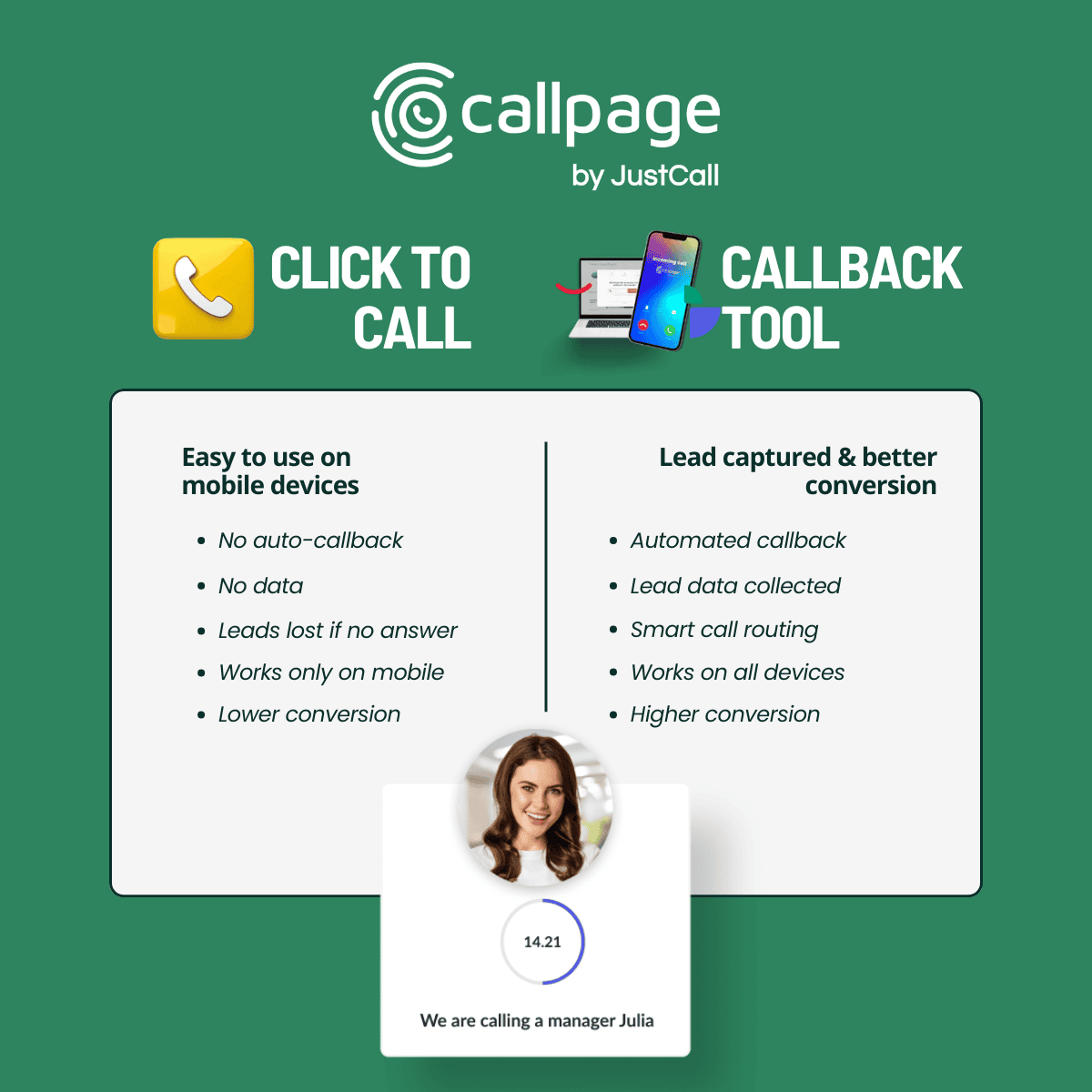
The callback tool is available on your website 24/7, allowing users to request a call even outside of your team's working hours. Users can schedule a call for a more convenient time, and the system will call them at the scheduled time. You can also ad an AI Voice Agent to collect calls after working hours.
Call Dashboard
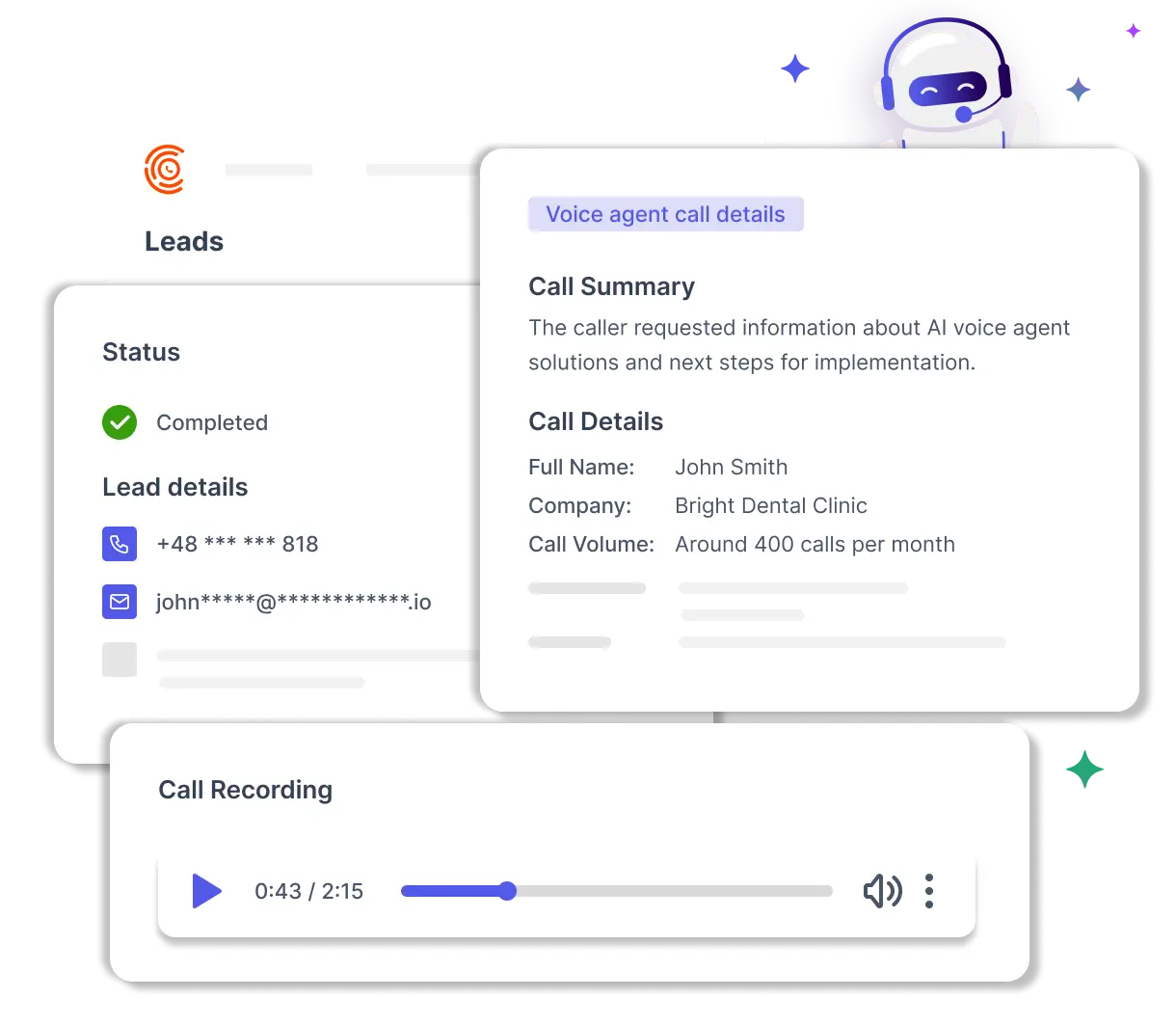
All calls requested through the callback widget are automatically saved in the system dashboard. You can access information such as call status, call recordings, lead source (based on UTM parameters), and the person who handled the call. This gives you full control over your incoming leads.
Benefits of Using a Callback Widget
Precise Visitor Targeting
One of the key benefits of a callback widget is the ability to target specific visitors who are most likely to convert into leads or customers. The widget can be customized to appear based on various parameters such as URL targeting, time spent on a page, scroll depth, device type, or even exit intent. By targeting the right visitors at the right time, you can maximize the effectiveness of your callback widget and drive better results.
Ease of Use and Customization
Implementing a callback button widget is incredibly easy, even for those with limited coding knowledge. Most callback widget providers offer simple installation processes, including WordPress plugins, allowing you to set up the widget in minutes. Furthermore, callback widgets are highly customizable, allowing you to match the widget's design and style to your website's branding. You can choose different button styles, colours, and placement options to create a seamless user experience.
Advanced Analytics and Reporting
Callback widgets provide advanced analytics and reporting features, enabling you to gain valuable insights into the effectiveness of your widget and your overall marketing efforts. You can track the total number of calls generated, and conversion rates, and even integrate with Google Analytics for more in-depth analysis. By understanding the performance of your callback widget, you can make data-driven decisions to optimize your website and marketing strategies.
Increased Customer Satisfaction
By offering a callback option, you improve the overall customer experience on your website. Visitors appreciate the convenience of speaking to a live representative and having their queries addressed promptly. In fact, 47% of searchers feel frustrated or annoyed when they cannot directly call a business. By providing a callback option, you remove these frustrations and create a positive impression of your brand.
Integration with CRM Systems
Callback widgets can seamlessly integrate with Customer Relationship Management (CRM) systems, allowing you to streamline your lead management and follow-up processes. When a visitor requests a callback, their information is automatically captured and stored in your CRM.
Industries that Benefit from Callback Widgets
E-commerce
A callback widget allows online retailers to offer personalized assistance to potential buyers, address their concerns, and guide them through the purchasing process. By connecting with customers in real-time, e-commerce businesses can increase trust, reduce cart abandonment, and ultimately boost sales.
Automotive
The automotive industry relies heavily on effective communication with potential buyers. A callback widget enables car dealerships and automotive service providers to engage with visitors who are actively searching the web for information about vehicles, prices, or services. By offering a callback option, automotive businesses can provide detailed answers to customer queries, build relationships, and increase the likelihood of showroom visits or service bookings.
Private Healthcare & Beauty
In the healthcare industry, patient care and satisfaction are of utmost importance. A callback widget enables medical practices, clinics, and hospitals to offer prompt assistance to patients seeking appointments, medical advice, or general inquiries.
Education
Educational institutions, including schools, colleges, and universities, can benefit greatly from a callback widget. Prospective students and their parents often have questions or require guidance during the admission process. By offering a callback option, educational institutions can address these queries promptly, provide personalized guidance, and improve the enrollment experience.
Real Estate
The real estate industry thrives on effective communication and timely responses to inquiries. A callback form allows real estate agents and agencies to connect with potential buyers or renters who are interested in properties. By offering a callback option, real estate professionals can provide detailed property information, schedule viewings, and ultimately close deals faster.
These are just a few examples of industries that can benefit from implementing a callback widget. Regardless of your sector, if your business relies on phone communication and personalized assistance, a callback widget can be a good choice.
6. How to Implement a Callback Widget
Implementing a callback widget on your website is a straightforward process that can be completed in a few simple steps. Let’s explore the key stages involved in setting up and optimizing a callback widget.
Installing the Widget
Most callback widget providers offer easy installation processes that require minimal technical knowledge. You can typically install the widget by copying and pasting a code snippet into the HTML of a page on your website. If you are using Google Tag Manager you can copy and paste the code into the website using Custom Codes. Some providers offer plugins for popular content management systems such as WordPress, making the installation process even more convenient.
Customizing the Design
To ensure the callback widget seamlessly integrates with your website or web page's design and branding, you can customize its appearance. Widget providers, such as CallPage offer a range of options, including different button styles, colours, and placement options.
Setting up Display Rules
To maximize the effectiveness of your callback widget, you can set up targeting parameters to ensure it appears at your site at the right time. Consider factors such as time spent on a page, scroll depth, or exit intent.
Adding Team Members
Add your call consultants and define their working hours to ensure calls are handled properly. Having more than one team member helps improve availability, so if one person doesn’t answer, another can take the call. You can also set up call routing rules to manage how incoming calls are distributed across your team.
Testing and Optimizing
Once the callback widget is installed and customized, it is essential to test its functionality and optimize its performance. Conduct thorough testing to ensure the widget appears correctly, collects contact information accurately, and connects visitors with your team seamlessly. Monitor the widget's performance using analytics and make data-driven decisions to optimize its effectiveness continually.
Best Practices for Callback Widgets
Implementing a callback widget on your website is a proven way to boost customer interactions and drive higher conversion rates. Here is a set of best practices based on CallPage users feedbacks:
- Placement: Make sure your callback widget is highly visible by positioning it on key pages such as your homepage, landing pages, and high-traffic service pages. This increases the chances that visitors will notice and use the callback request form when they need assistance.
- Visual Customization: Tailor the appearance of your callback widget to match your website’s branding - adjust colors, button styles, and messaging.
- Clear Call-to-Action (CTA): Use a strong, action-oriented CTA on your callback request form—phrases like “Request a Callback” or “Speak to an Expert Now” encourage users to submit callback requests and engage with your team.
- Mobile Optimization: With more users browsing on mobile devices, ensure your callback widget is fully responsive and easy to use on smartphones and tablets. This provides a convenient way for all visitors to request a callback, no matter how they access your site.
- Integration with CRM: Connect your callback widget to your CRM system to streamline customer communication, track sales calls, and manage leads efficiently. This integration helps you nurture relationships and follow up on every opportunity.
- Data Analysis: Leverage tools like Google Analytics to monitor callback requests, conversion rates, and customer satisfaction. Analyzing this data allows you to refine your approach, optimize widget displays, and continually improve customer interactions.
- Follow-Up Strategy - Plan what happens after the call to maximize conversions. Personalize the SMS sent after each conversation, add a satisfaction survey, and tag high-quality leads so you can follow up with them later. A well-structured follow-up process helps turn more calls into customers.
By following these best practices, you’ll create a callback experience that not only delights your website visitors but also drives measurable business results.
Case Studies: Success Stories with Callback Widgets
Lavazza grappled with delivering exceptional customer service. Daily inundated with thousands of calls and contact queries, it lacked a system that could facilitate swift response times, meeting the needs of both users and management.
However, since implementing CallPage on their website, Lavazza has experienced a substantial increase in customer interactions and vastly improved response times. The callback offer portrays the company as instantly accessible and continuously attentive to potential customers, fostering trust and driving up the number of sales calls from motivated users who are nearing the end of their buyer journey.
KRUK España, an international company specializing in debt collection services, faced a significant challenge. Despite their efforts, they struggled to find a dependable callback solution. After testing several tools, none met their rigorous standards.
However, CallPage emerged as the ideal solution for KRUK España. Providing an instant callback option for interested parties precisely met the expectations of customers and potential clients alike. Incorporating the CallPage widget onto their website not only boosted sales but also enhanced customer satisfaction significantly.
We are really satisfied with the results delivered by CallPage. Each day our agents answer phone calls from customers interested in our services. We can see a direct connection between the implementation of CallPage and increased customer satisfaction. Lavinia Dragotă, Marketing & PR Responsible at Kruk España
9. Pricing and Plans for Callback Widgets
While some providers offer free call limits in the plan, others are charging for each received call. Consider your business's specific needs and budget when selecting a callback widget provider. Additionally, review the features and limitations of each plan to ensure they align with your goals and requirements.
10. Conclusion: Unlock Your Website's Potential with a Callback Widget
Implementing a callback widget offers a powerful solution to bridge the gap between your website and potential customers. By providing a seamless and efficient communication channel, a callback widget enhances the user experience, increases conversion rates, and drives revenue growth.
So, what are you waiting for? Unlock your website's potential and revolutionize your customer engagement and conversion rates with a powerful callback widget. Choose a reliable widget provider, customize your widget to match your branding, and get ready to witness the transformative impact on your business. Embrace the future of customer communication and drive your business toward success with a free callback widget today!
Callback Widget FAQ
What is a callback widget, and how does it work?
A callback widget is an pop up on a website that lets visitors request an instant phone call. After a user enters their phone number, the system calls your sales representative first. Once they answer, it connects them with the visitor. The process usually takes less than 28 seconds.
Is a callback widget intrusive for users?
A callback widget is not intrusive when it’s configured properly. It usually includes two main elements:
- A callback icon
This is a small button that stays visible on the page, allowing visitors to request a call at any time. The icon itself is not intrusive, but it’s important to make sure it doesn’t cover or block important elements on the page. - A callback pop-up
This appears based on specific display rules (also called scoring rules). It’s best to trigger it after some user engagement, such as when a visitor scrolls 50% of the page or shows exit intent. Avoid displaying it immediately after page load or showing it multiple times during a single visit, as this can feel disruptive.
Is a callback widget GDPR-compliant?
Yes, a callback widget can be GDPR-compliant, as the contact is initiated by the user. To ensure full compliance, include a clear consent checkbox and a link to your privacy policy. It’s also important to use a trusted provider that ensures user data is stored and processed securely.
What happens if a callback is requested outside business hours?
When a callback is requested outside business hours, most tools switch to lead capture mode. Instead of an instant call, users can choose a preferred date and time during your team’s working hours. The system then schedules the call accordingly. Some callback widget providers also offer AI voice agents that can handle calls outside business hours.
Does a callback widget affect website speed?
A callback widget has minimal impact on website speed because it loads asynchronously. This means it loads after the main page content, so it does not block rendering.
How much does a callback widget cost?
Callback widgets typically use one of two pricing models:
- Subscription (monthly fee with included minutes or calls)
- Pay-per-lead (you pay only for successful connections)
Additional call charges may apply depending on the call destination, selected features, or call consultants.
Can a callback widget integrate with CRM systems?
Yes, most callback tools integrate with popular CRM systems like HubSpot, Pipedrive, and Salesforce. After each call, data such as contacts, deals, or call recordings can be automatically saved.
How does a callback widget prevent spam?
Callback widgets prevent spam using filters such as IP rate limiting, number validation, and blacklists. Many tools also allow manual blocking of unwanted numbers.
Do I need special equipment to use a callback widget?
No special equipment is required. Calls are routed to your existing phone numbers, whether mobile or landline. Setting up a callback widget usually takes 15-20 minutes.
Check out other posts
Start generating leads today!
Start a 14-day free trial now,
set up the widget on your site, and see how many more leads you can capture with CallPage
- No credit card required
- 10 minutes set up
- 14 days fully-features free trial